harmony Forecasts

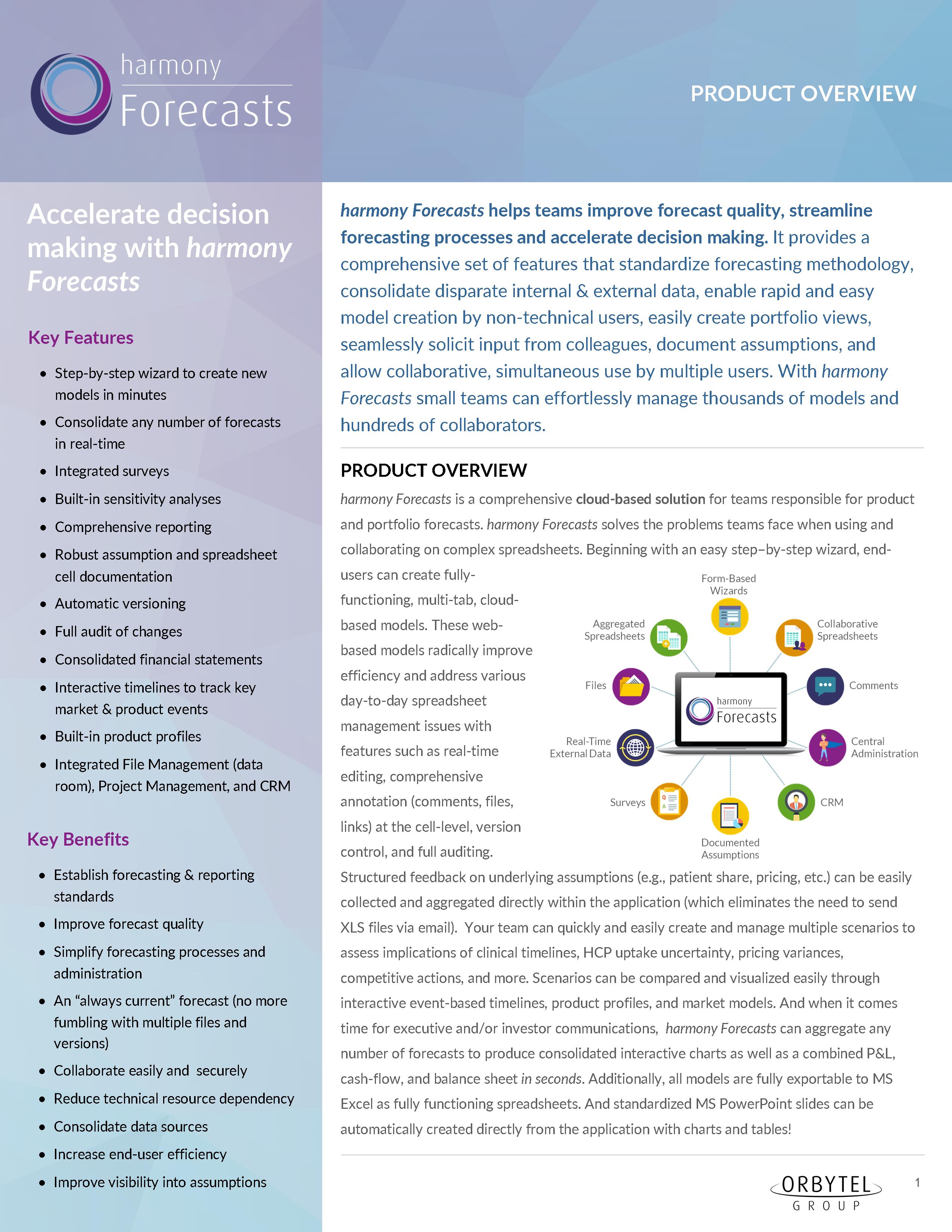
harmony Forecasts helps teams improve forecast quality, streamline forecasting processes, and accelerate decision making

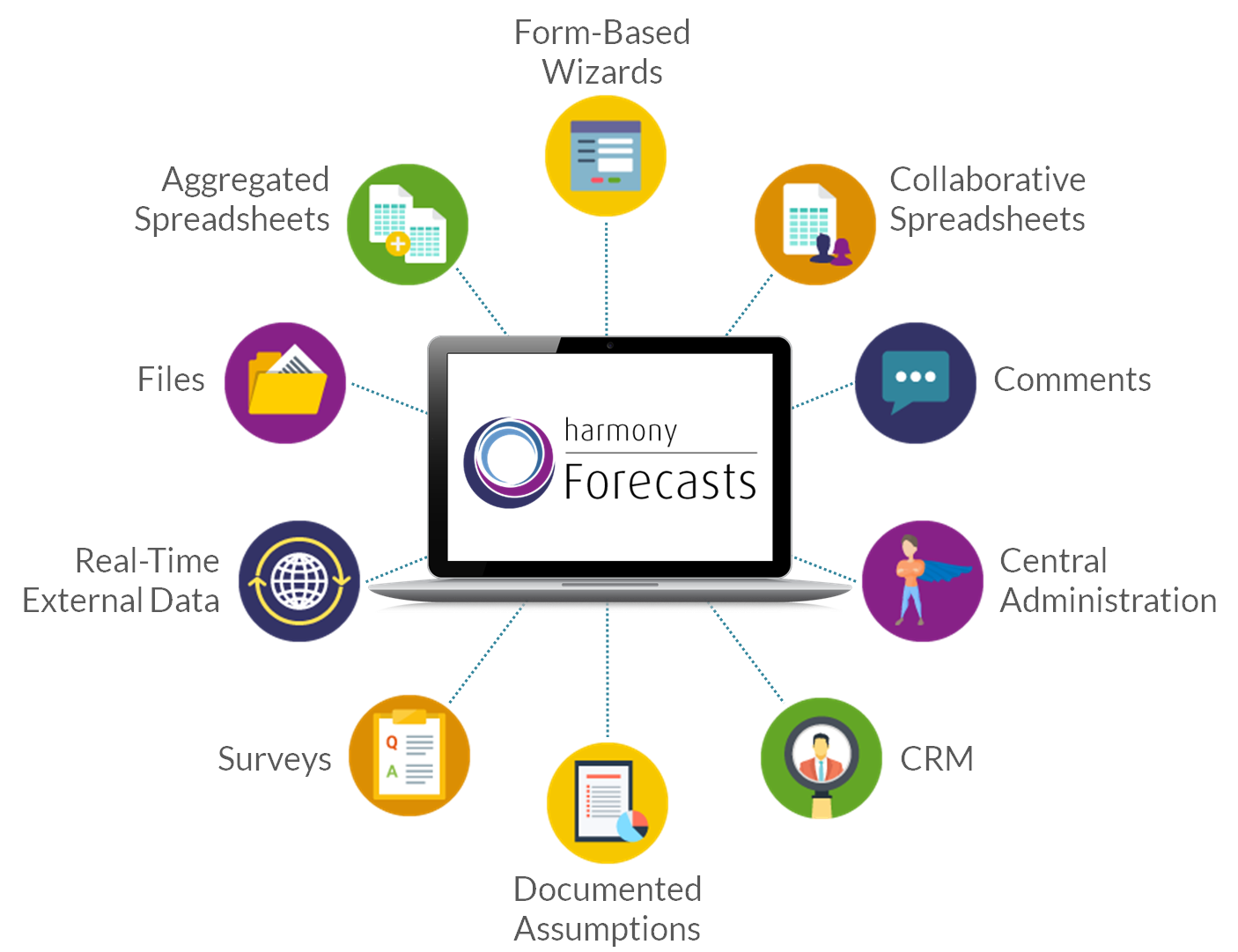
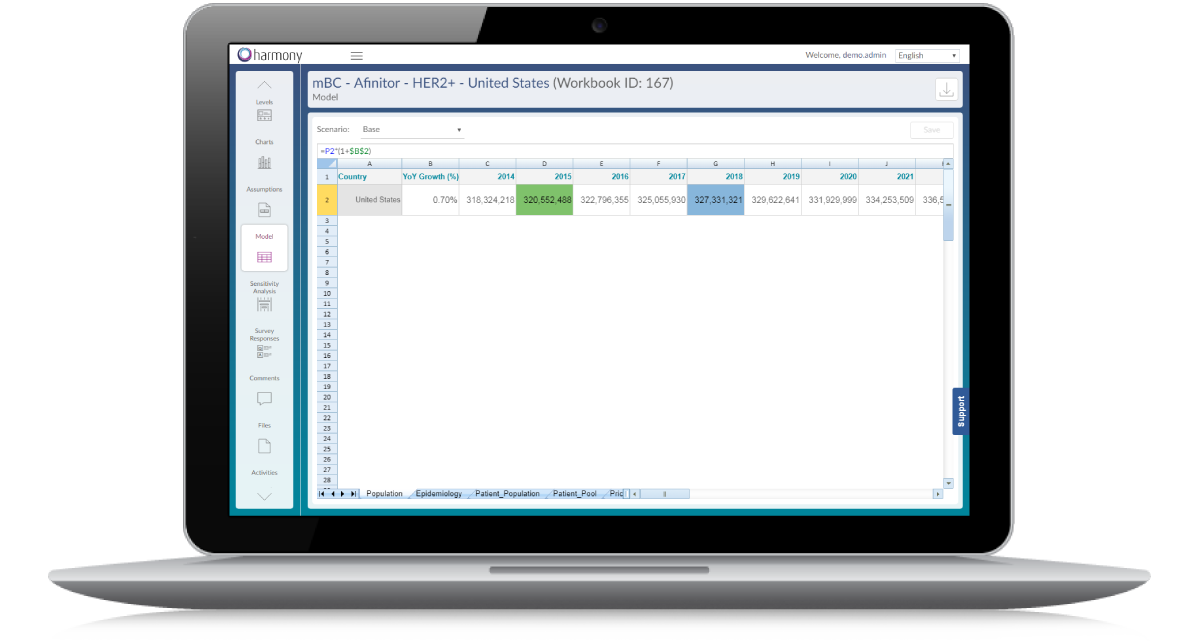
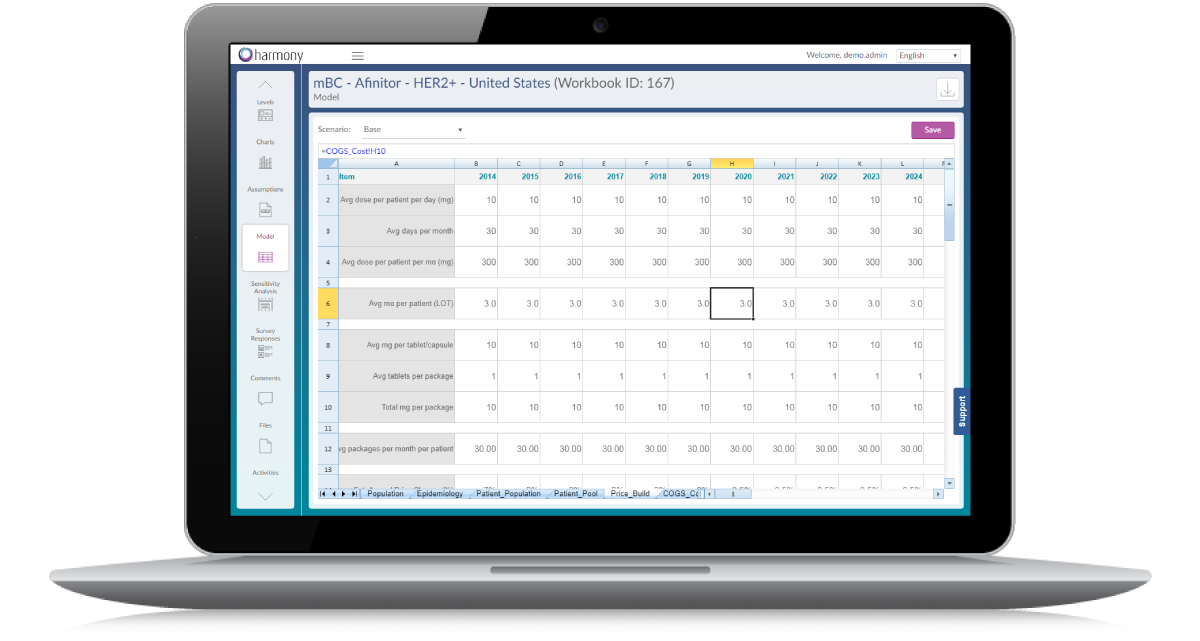
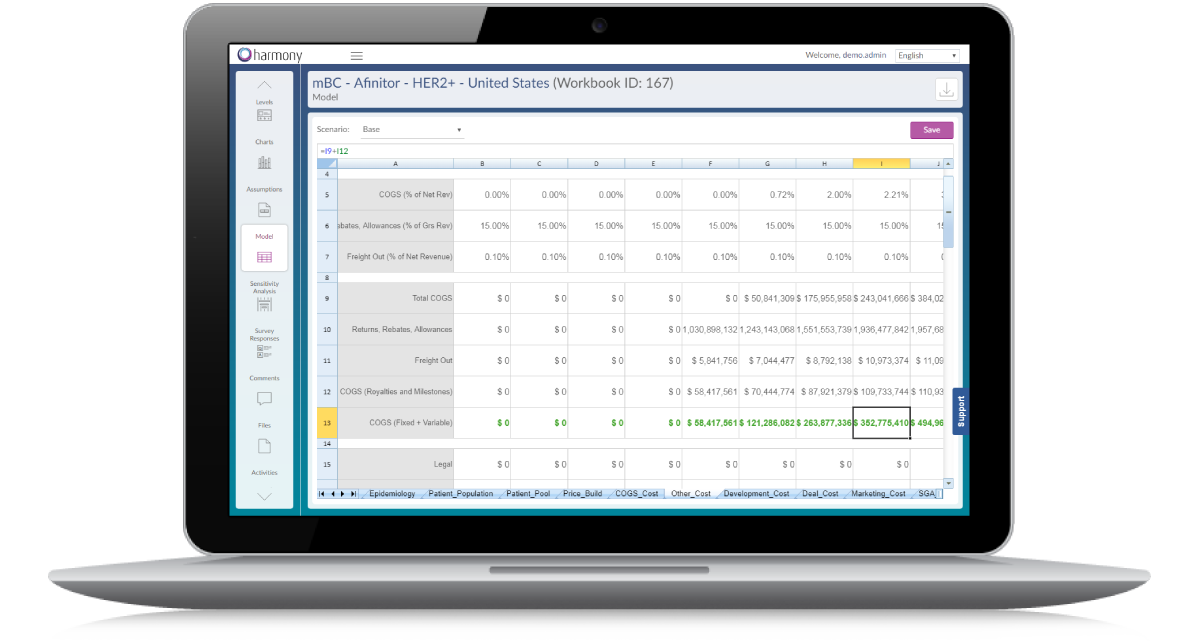
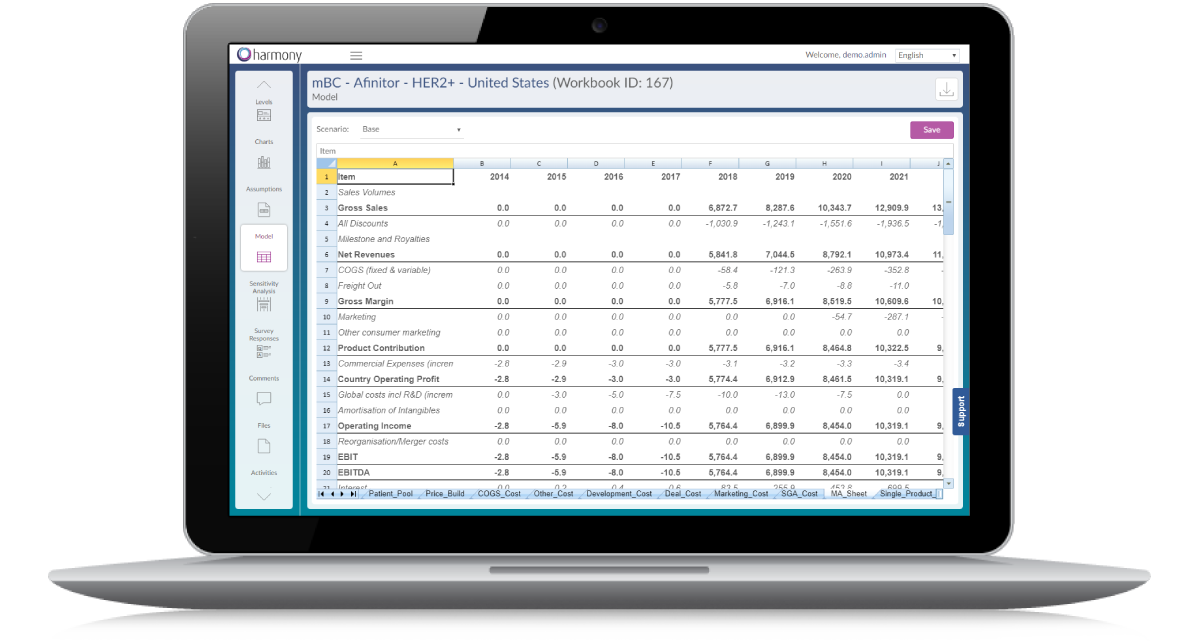
harmony Forecasts is a comprehensive cloud-based software solution for teams responsible for product and portfolio forecasts that:

  • Standardizes forecasting methodologies (e.g., 15 year Epi DCF, 3 year SOV, etc.)
  • Consolidates disparate internal & external data
  • Enables rapid and easy model creation by non-technical users
  • Easily creates consolidated views of any number of forecasts (e.g., global rollups across numerous products)
  • Seamlessly solicits and aggregates input from colleagues via integrated surveys
  • A single spreadsheet can be updated simultaneously by multiple users
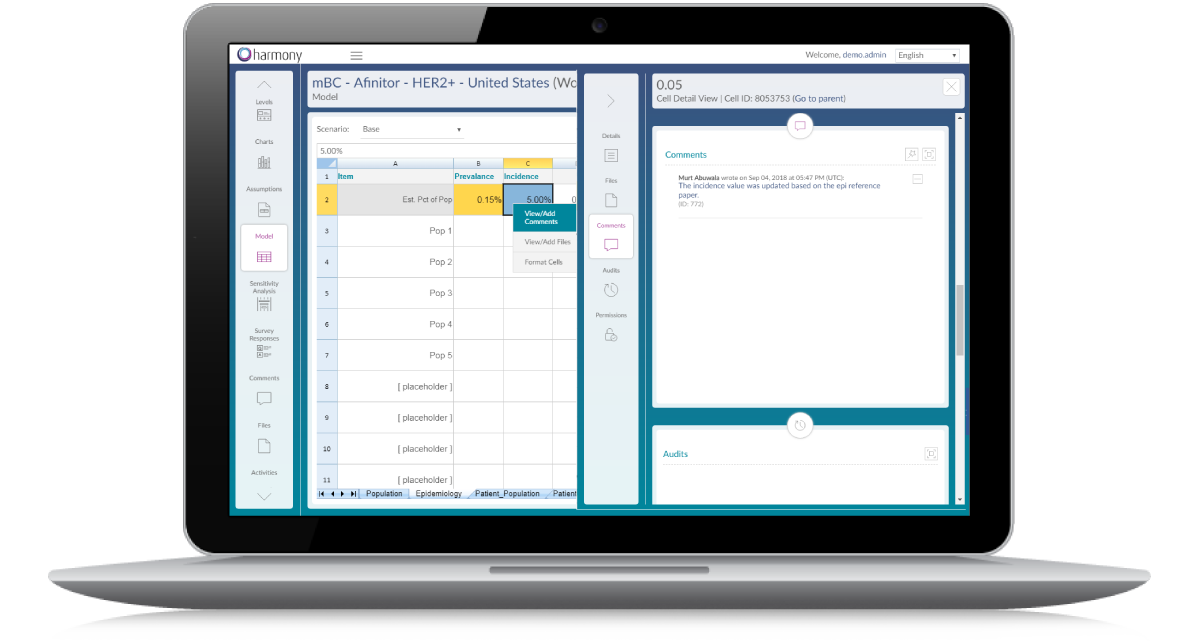
  • Provides the ability to fully annotate and document underlying assumptions and spreadsheet cells with notes, questions, files, links, and surveys
Highlights

Key Feature Highlights of harmony Forecasts

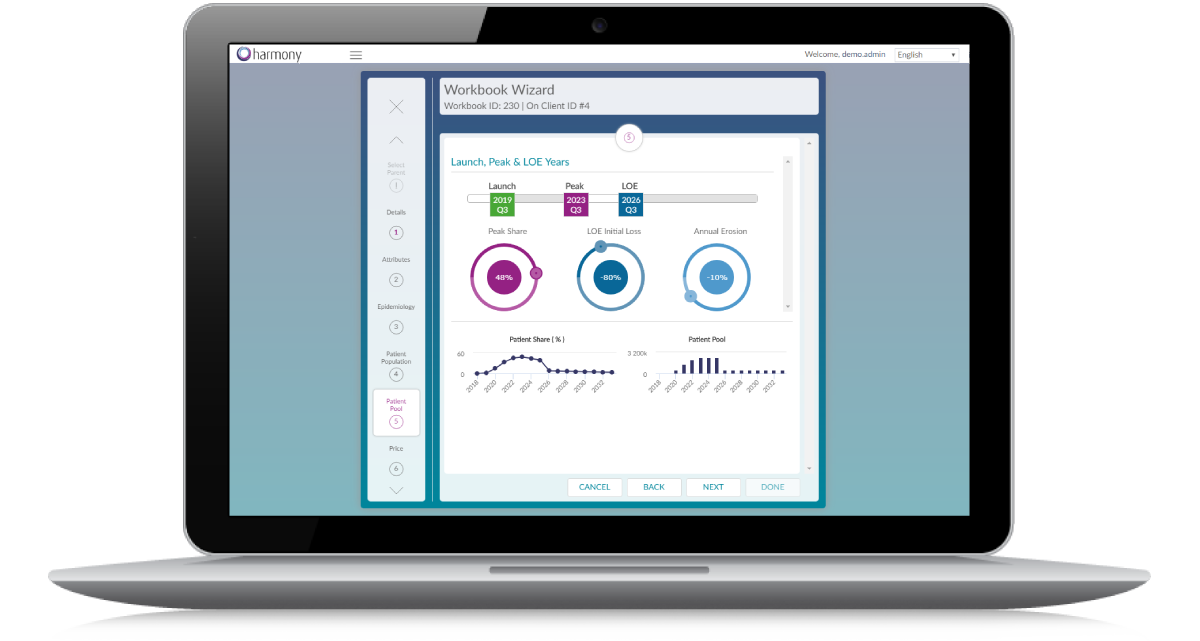
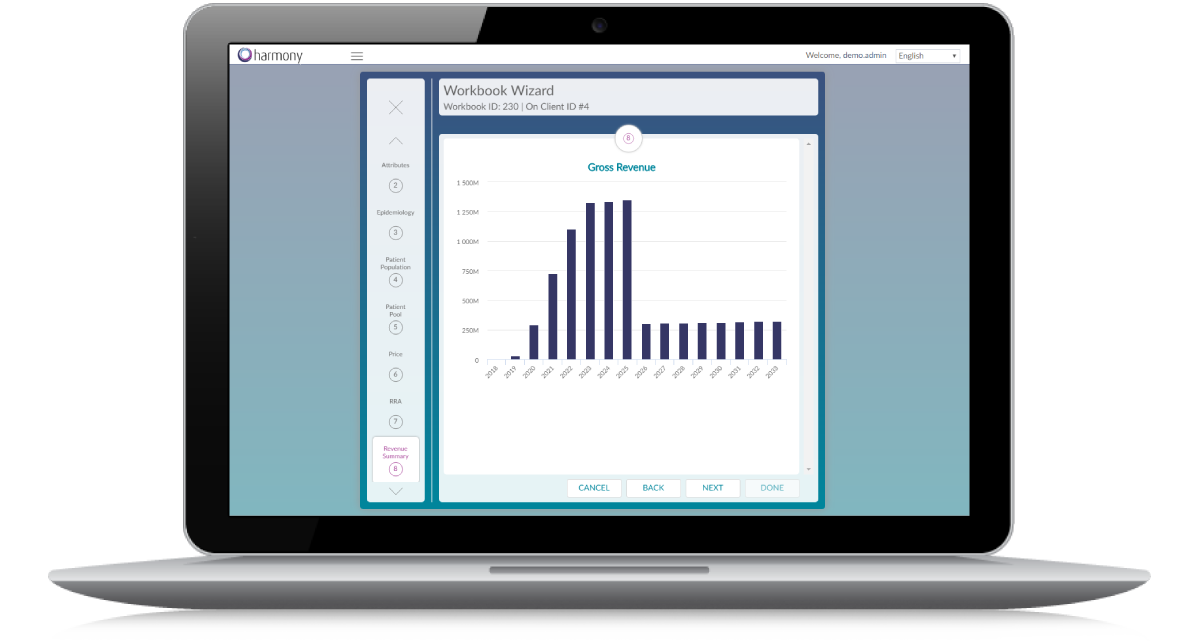
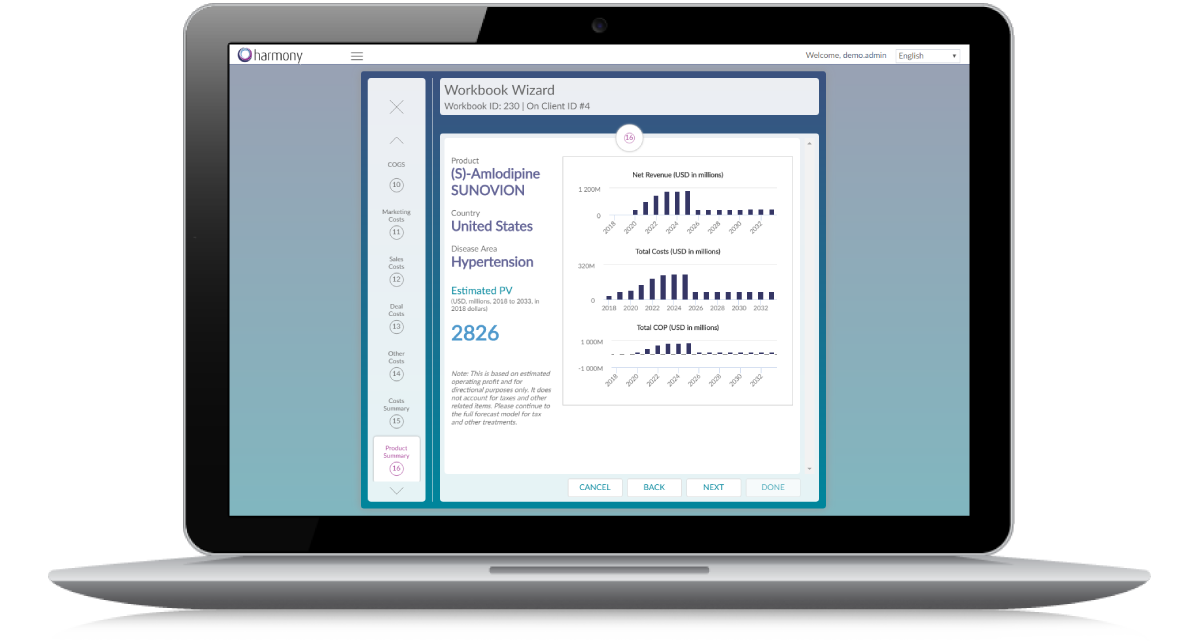
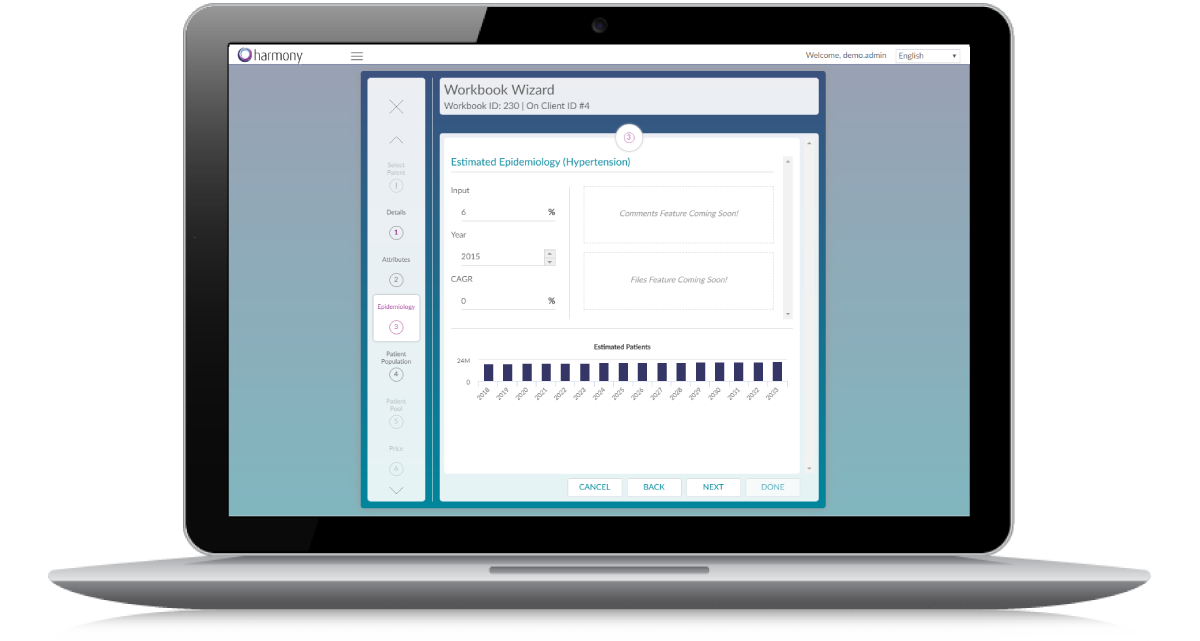
Step-By-Step Model Wizard

A user-friendly, step-by-step wizard that walks users through creating standardized models, in minutes!

Easy Consolidations

Consolidate any number of forecasts in real-time to generate portfolio views in seconds!

Integrated Surveys

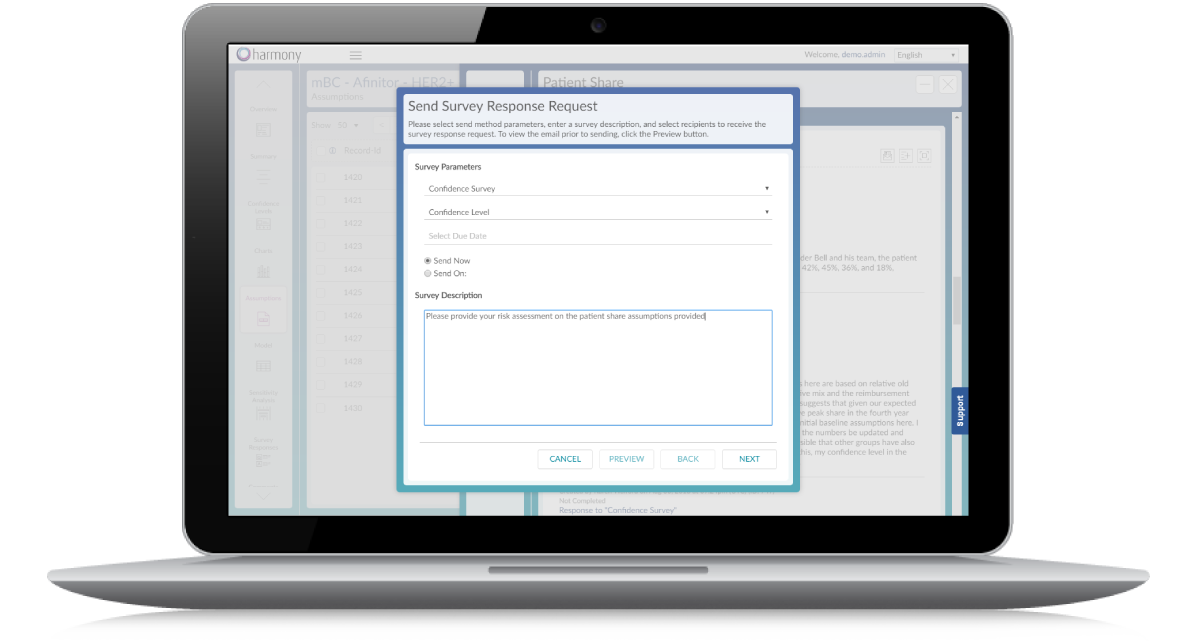
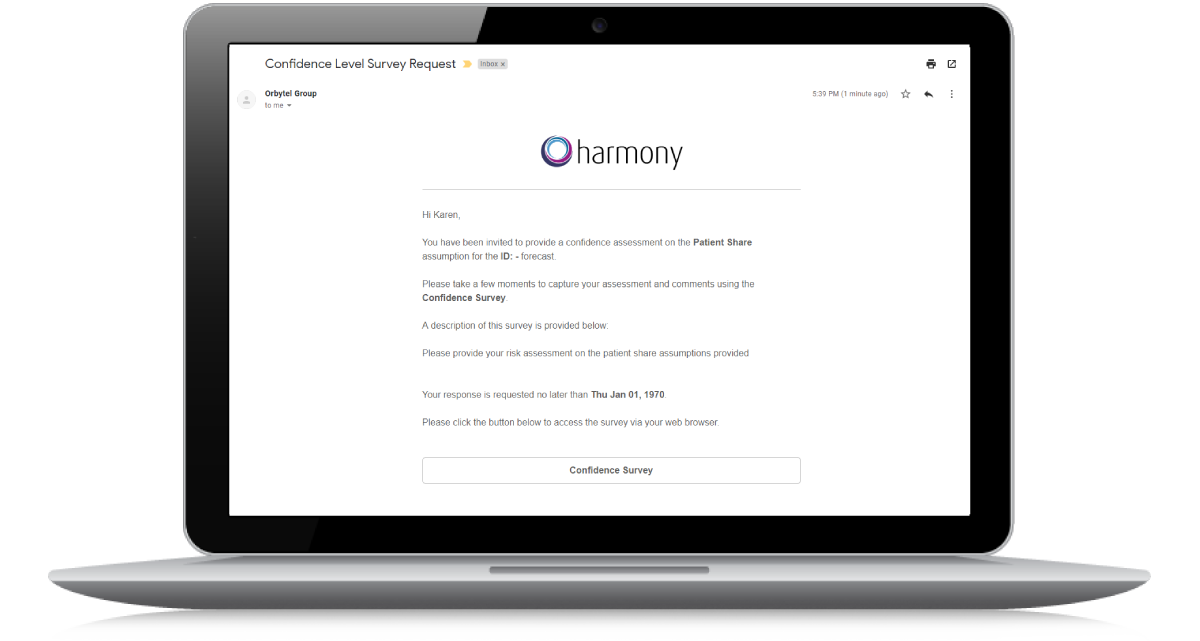
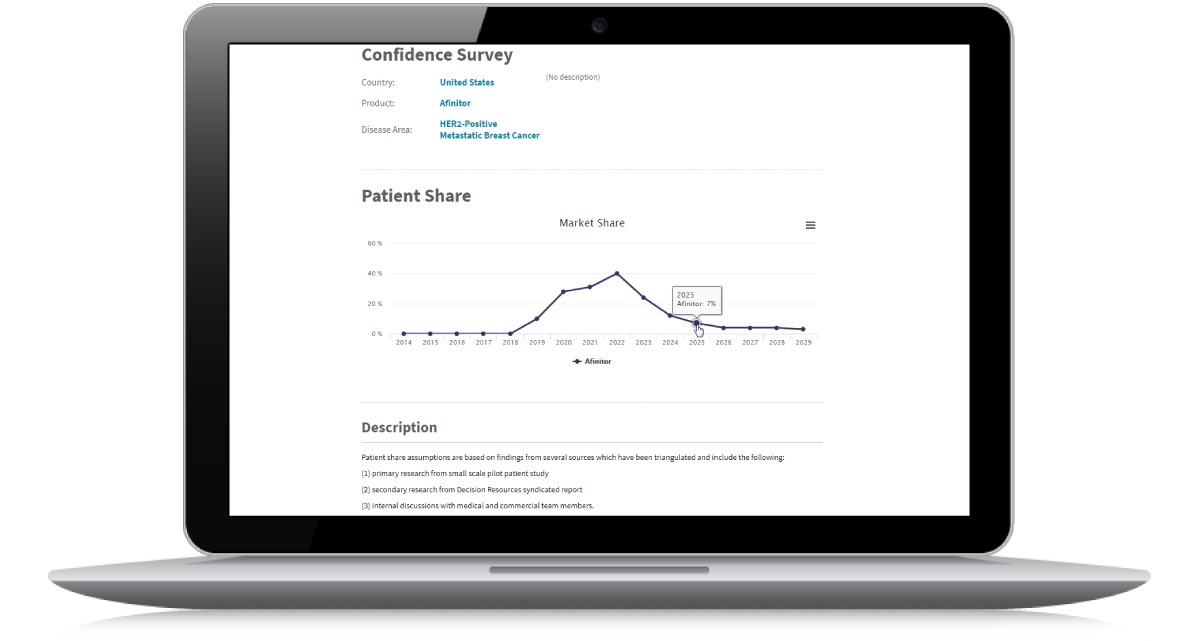
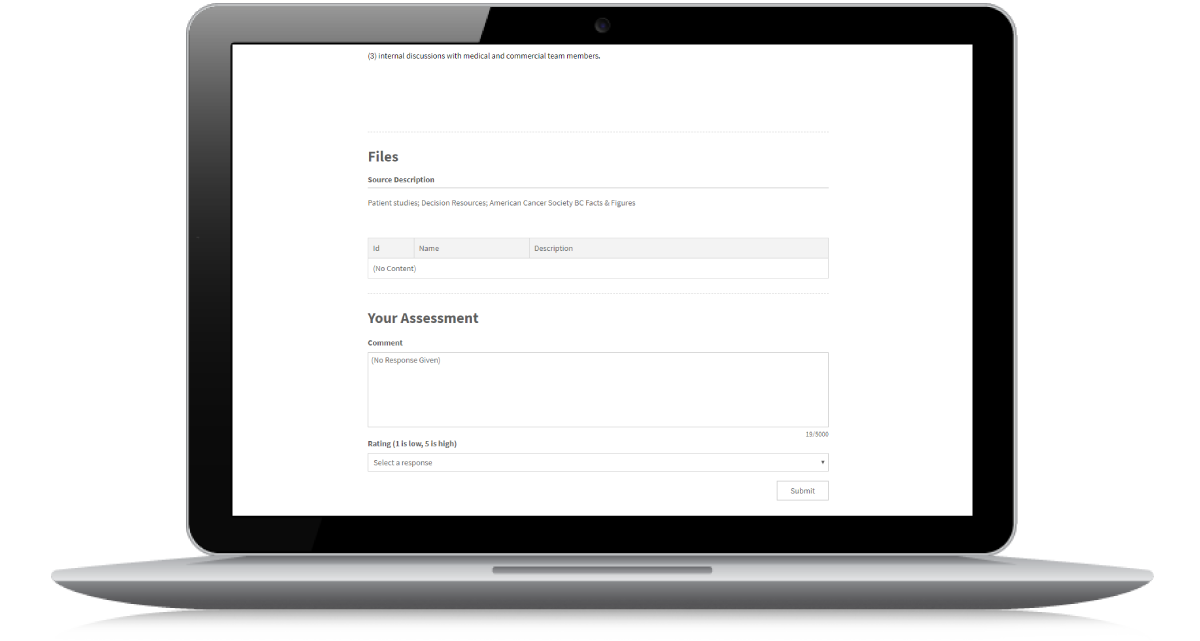
Send surveys to your team members to collect feedback on assumptions directly from the application.

Documented Assumptions

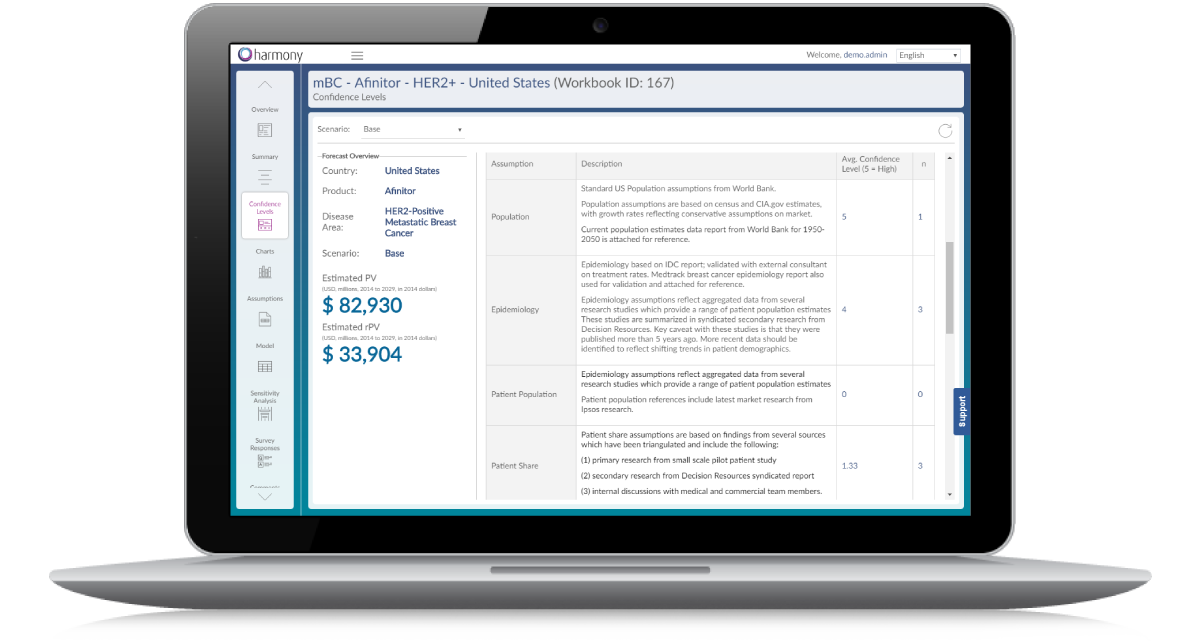
Users can add any number of comments, questions, notes, links, files, and survey responses directly to cells and assumptions. Full briefs and business cases can be incorporated to capture rationale for underlying model assumptions.

Built-In Charts and Reporting

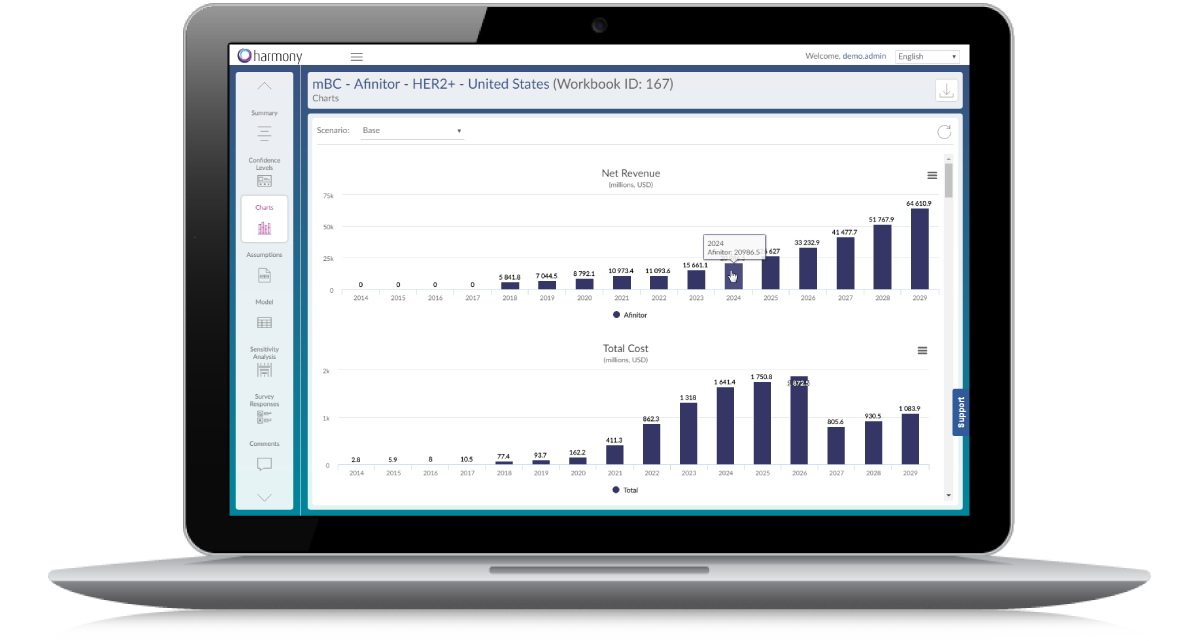
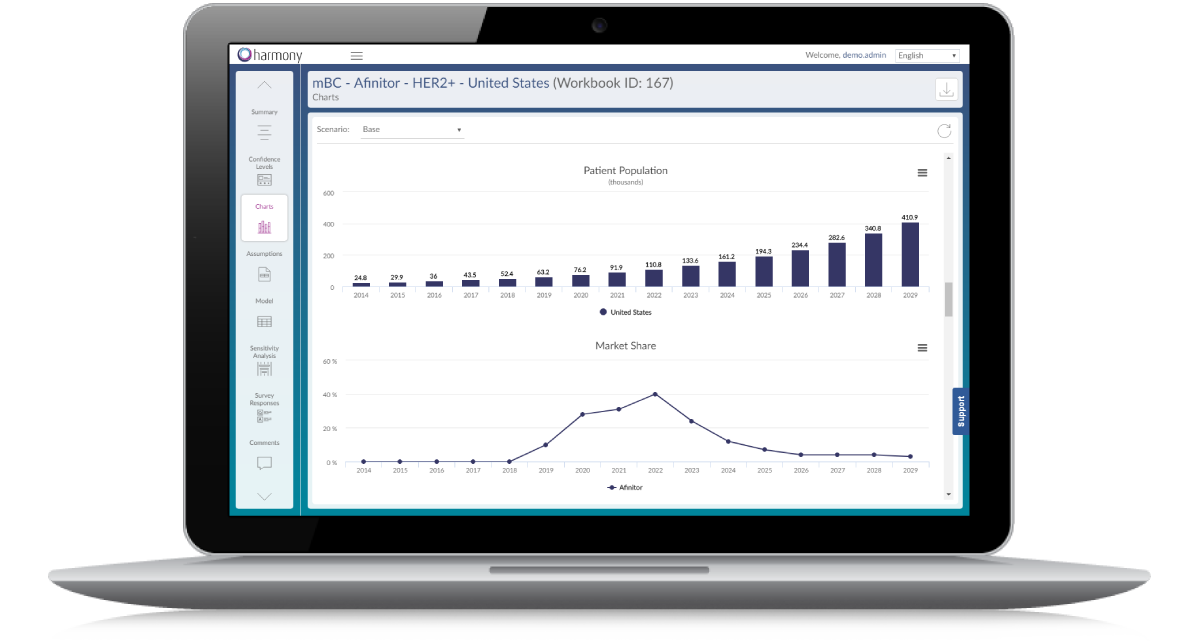
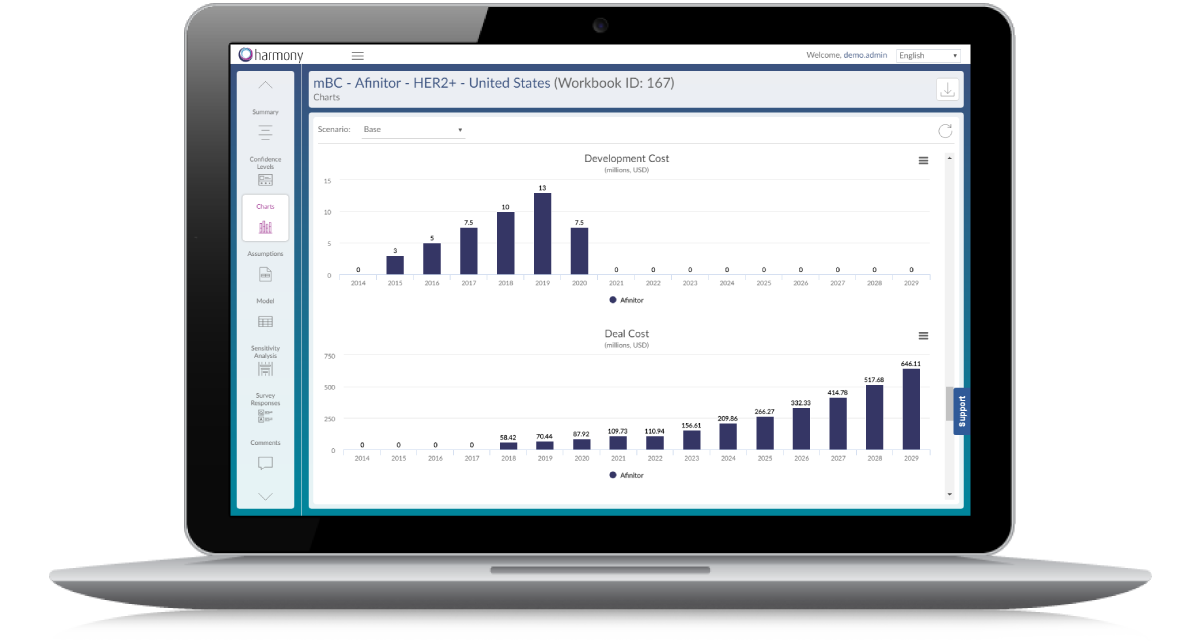
Interactive charts and summaries within application provide visual overviews of forecasts. Additionally, all assumptions and summary financials can be exported to MS PowerPoint. And fully-functioning spreadsheet models can be exported to MS Excel. All at the click of a button.

Automatic Versioning & Auditing

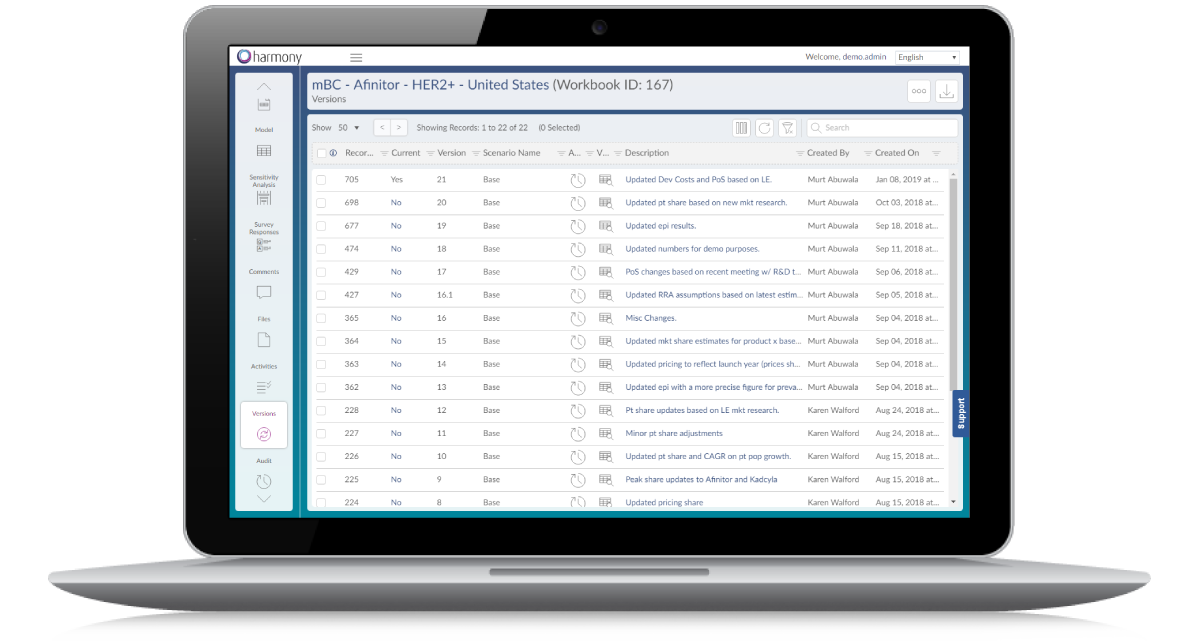
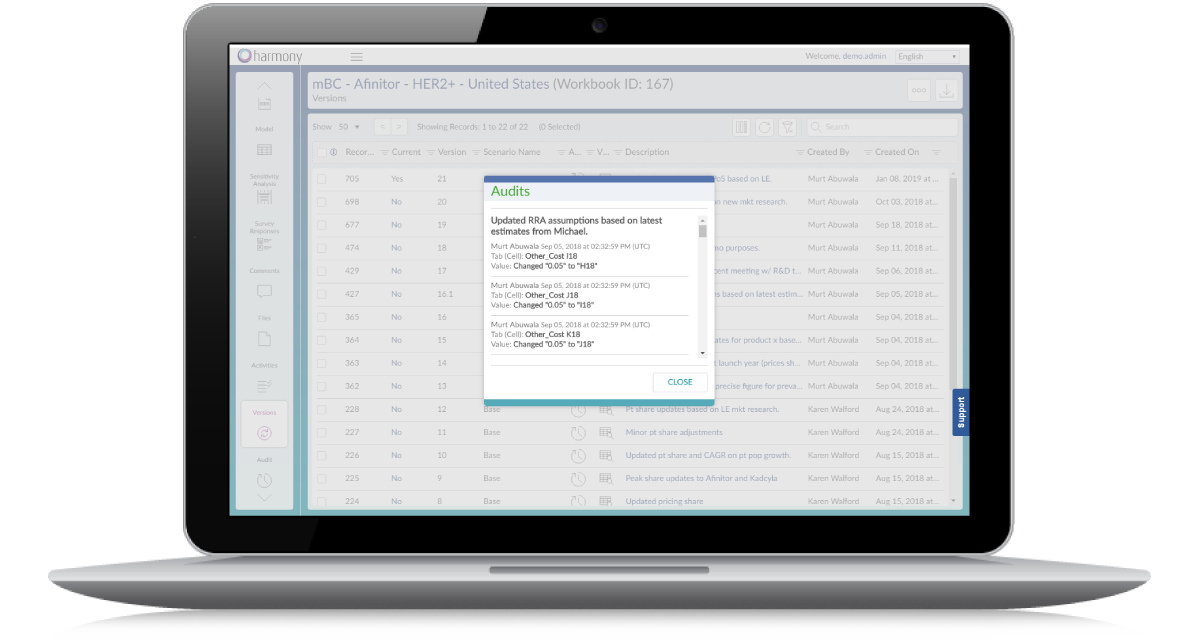
Every change your team members commit to a spreadsheet is audited and annotated for full data transparency. Each time your team makes changes, your forecast is versioned, with the ability to view and revert to previously saved versions anytime.

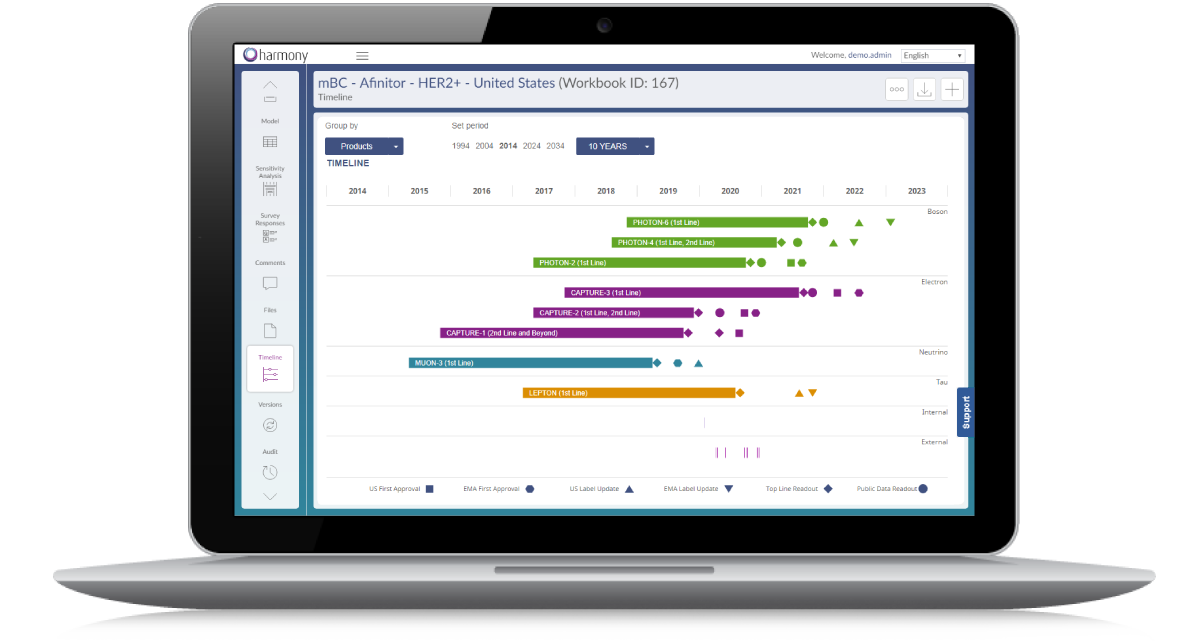
Interactive Timeline

Track the key events that may impact your forecasts. A real-time, editable timeline displays and stores the event dates and details that are important to your team with the ability to edit and add events at any time.

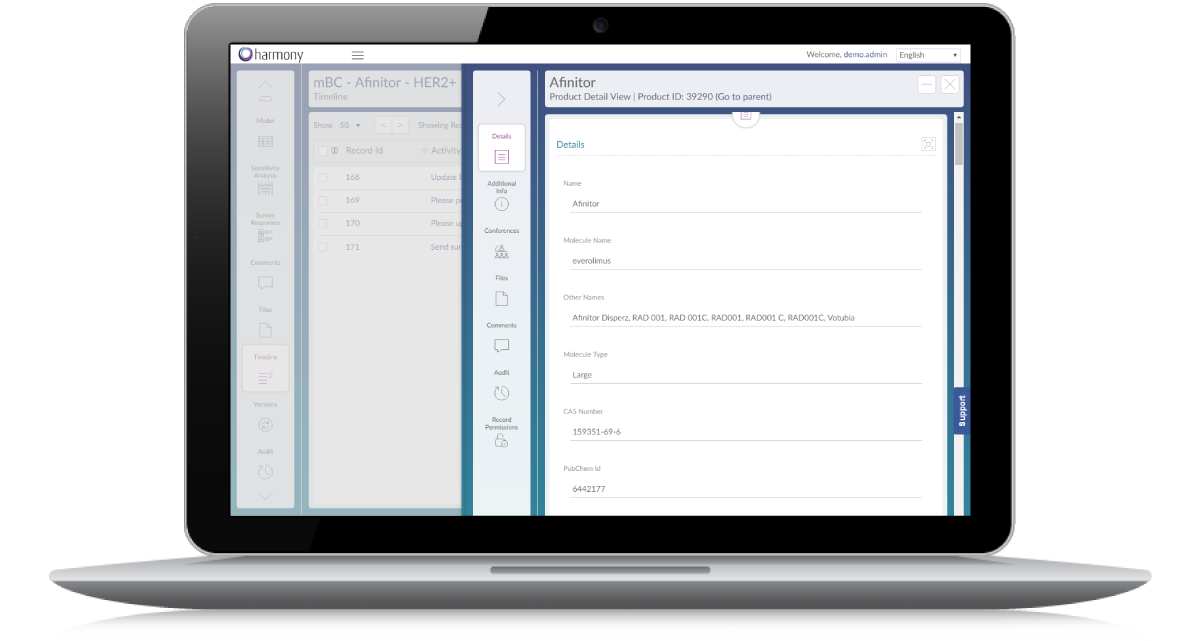
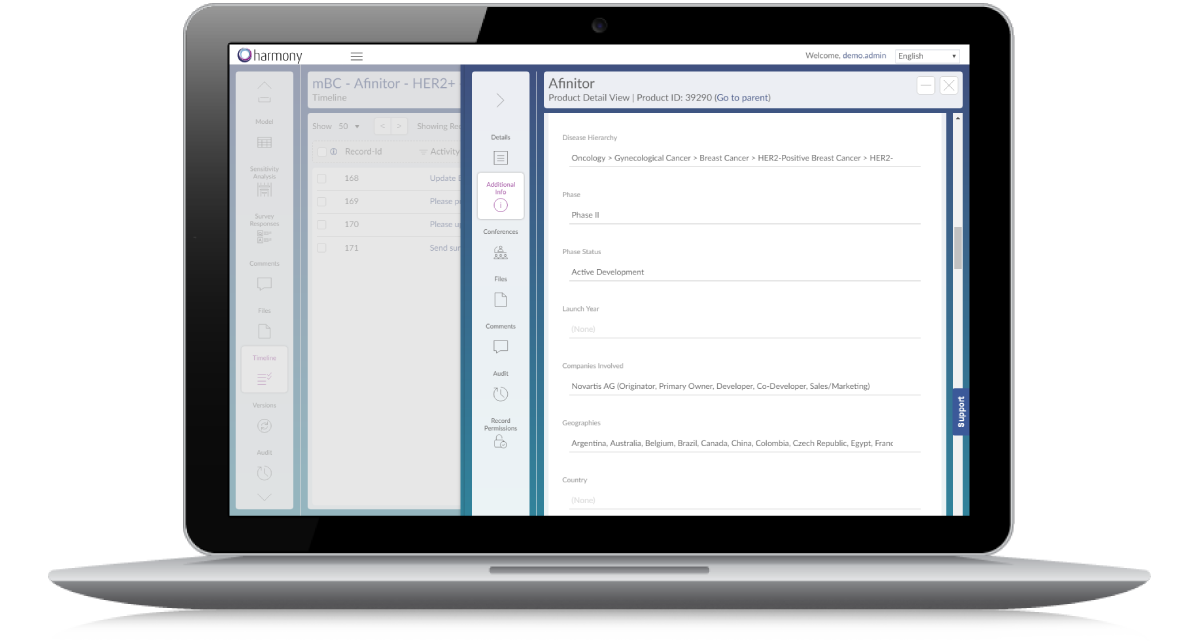
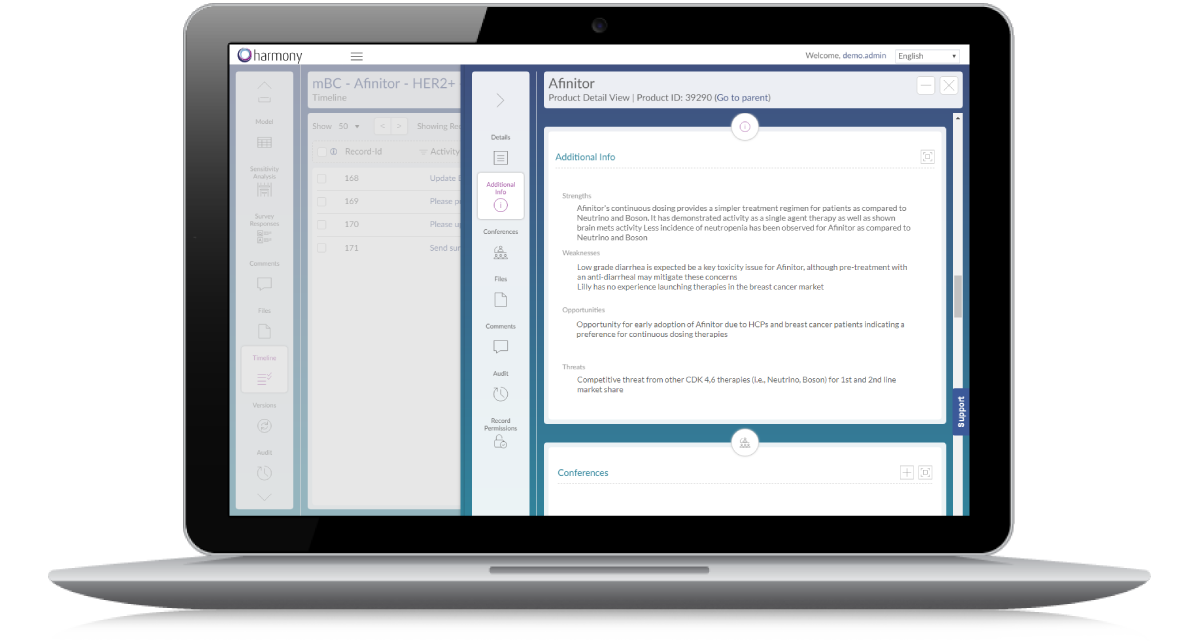
Product Profiles

Reference all the details of your products in-app, with the ability to capture indications, trials, SWOT analysis and more.

Feature summary

What harmony Forecasts does

Model Wizard

  • Generate models in minutes via a form-based, step-by-step wizard
  • The user-friendly wizards generates standardized models so that models can easily be consolidated or rolled-up
Model Wizard (1 of 4) Model Wizard (2 of 4) Model Wizard (3 of 4) Model Wizard (4 of 4)

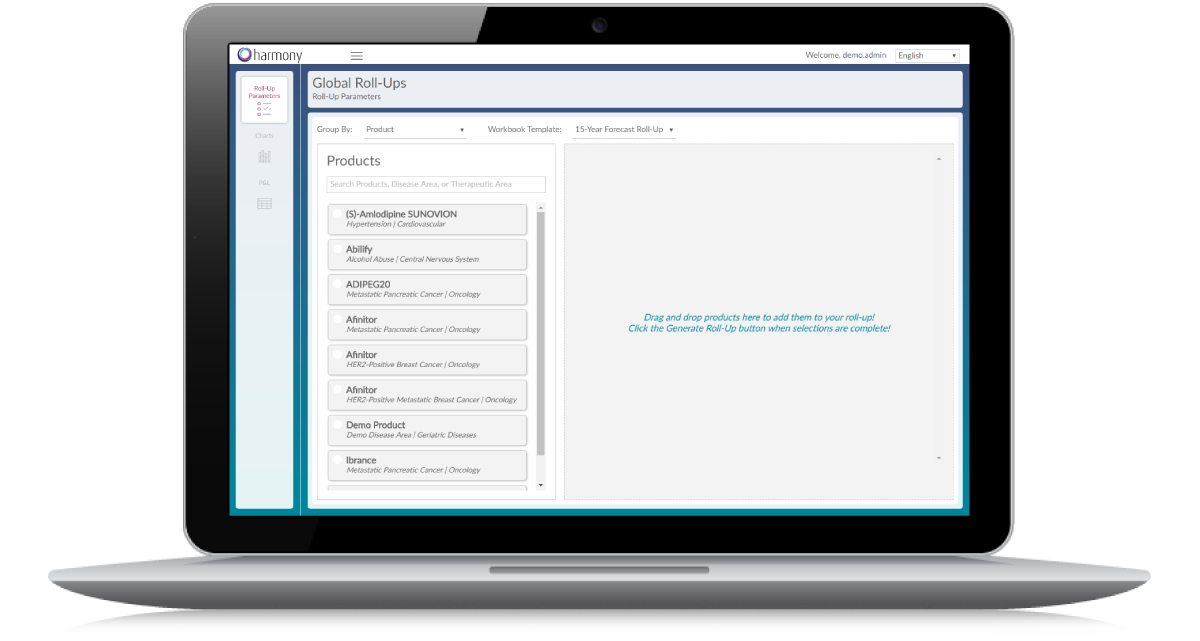
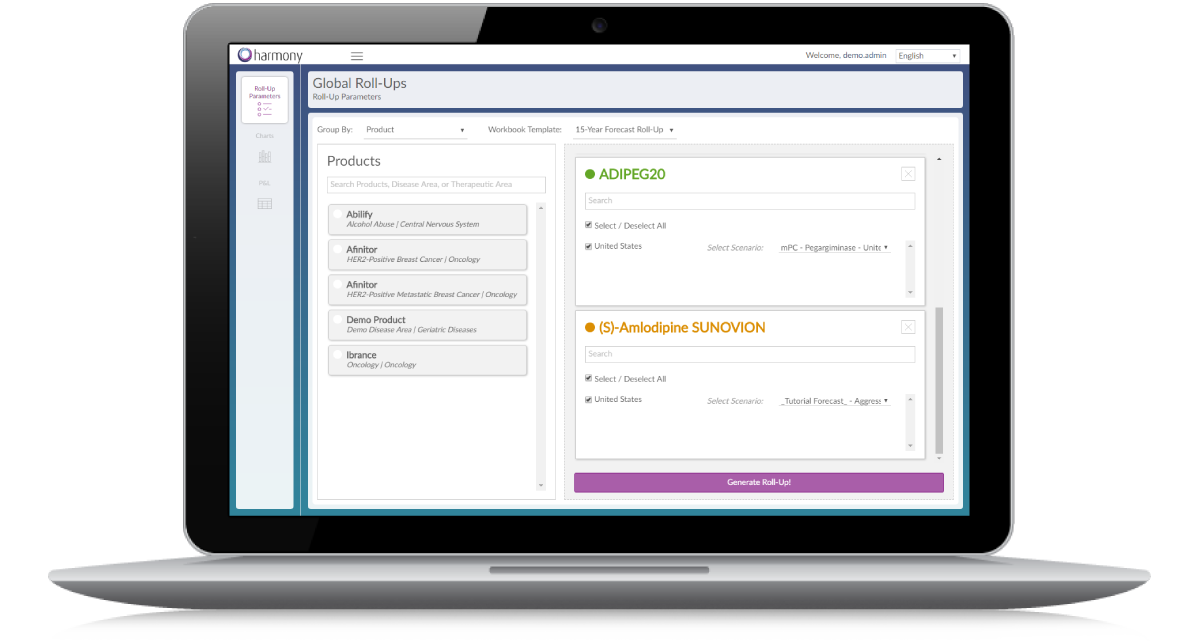
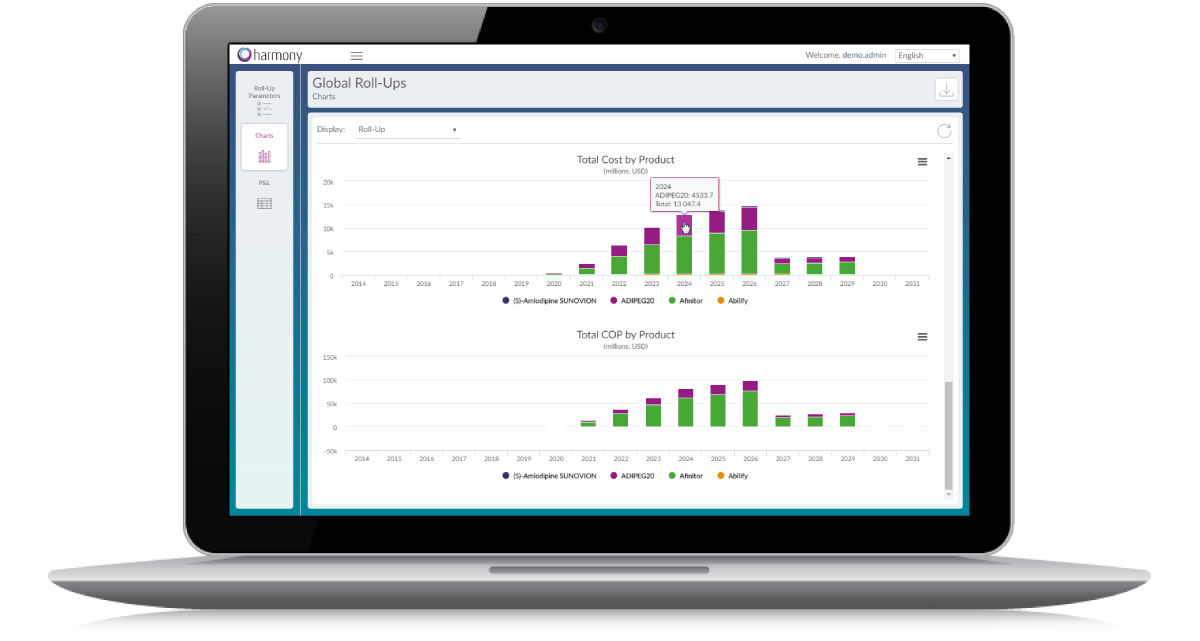
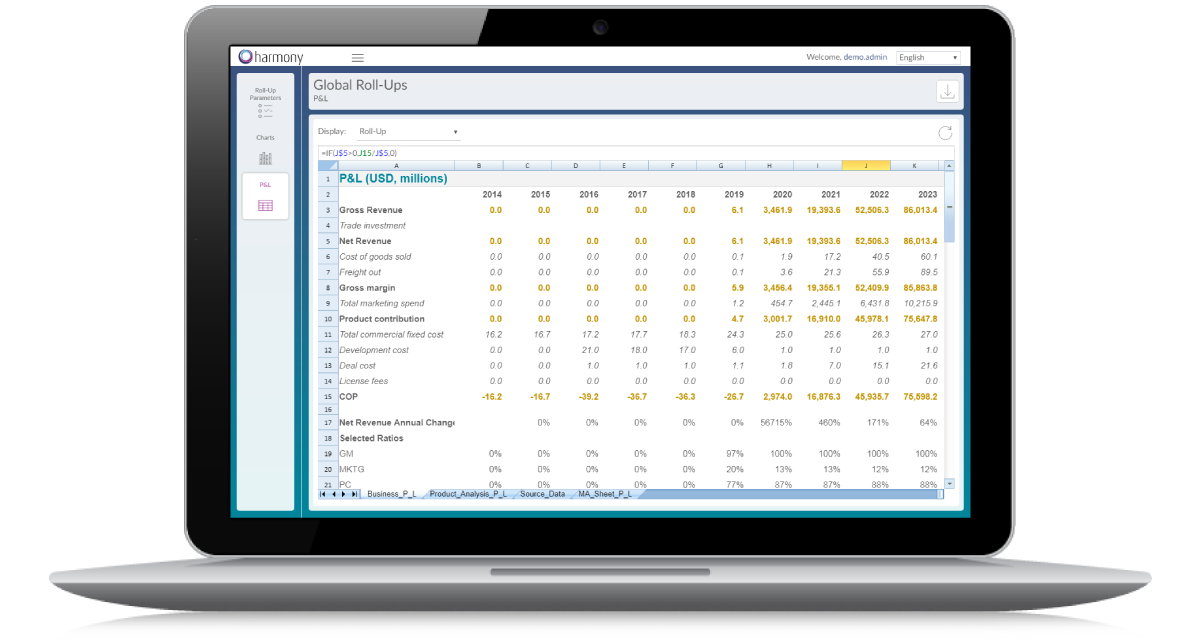
Consolidated Forecasts

  • Generate consolidated portfolio views easily and quickly using a simple drag-and-drop interface
  • Roll-up any number of individual forecasts
  • Automatically generate summary charts and consolidated financial statements
Consolidated Forecasts (1 of 4) Consolidated Forecasts (2 of 4) Consolidated Forecasts (3 of 4) Consolidated Forecasts (4 of 4)

Integrated Surveys

  • Send customized surveys to any number of respondents to collect feedback on assumptions
  • Responses are aggregated and summarized in the system for easy review
Integrated Surveys (1 of 6) Integrated Surveys (2 of 6) Integrated Surveys (3 of 6) Integrated Surveys (4 of 6) Integrated Surveys (5 of 6) Integrated Surveys (6 of 6)

Comprehensive Reporting

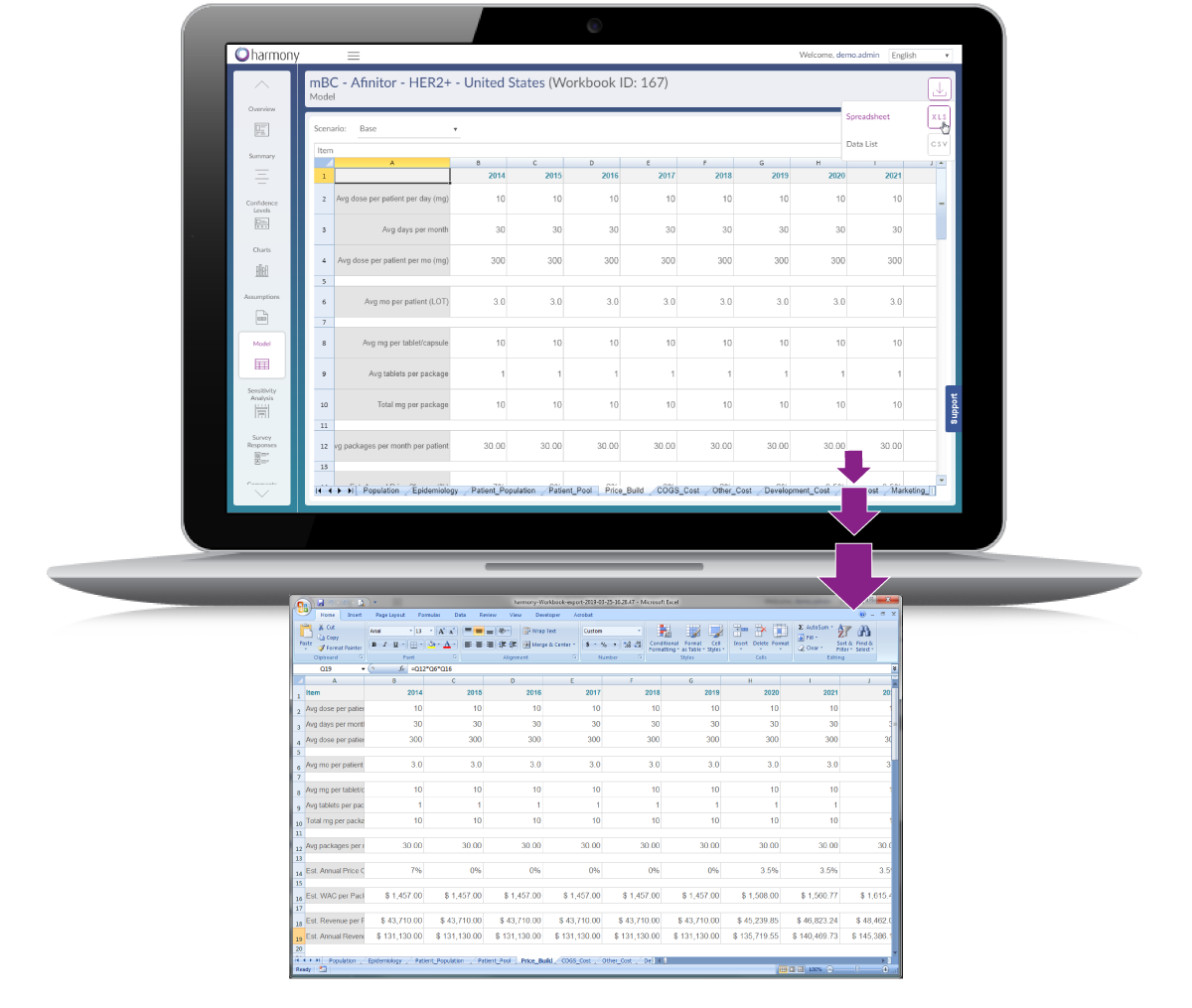
  • Export a fully functioning spreadsheet model to MS Excel in seconds
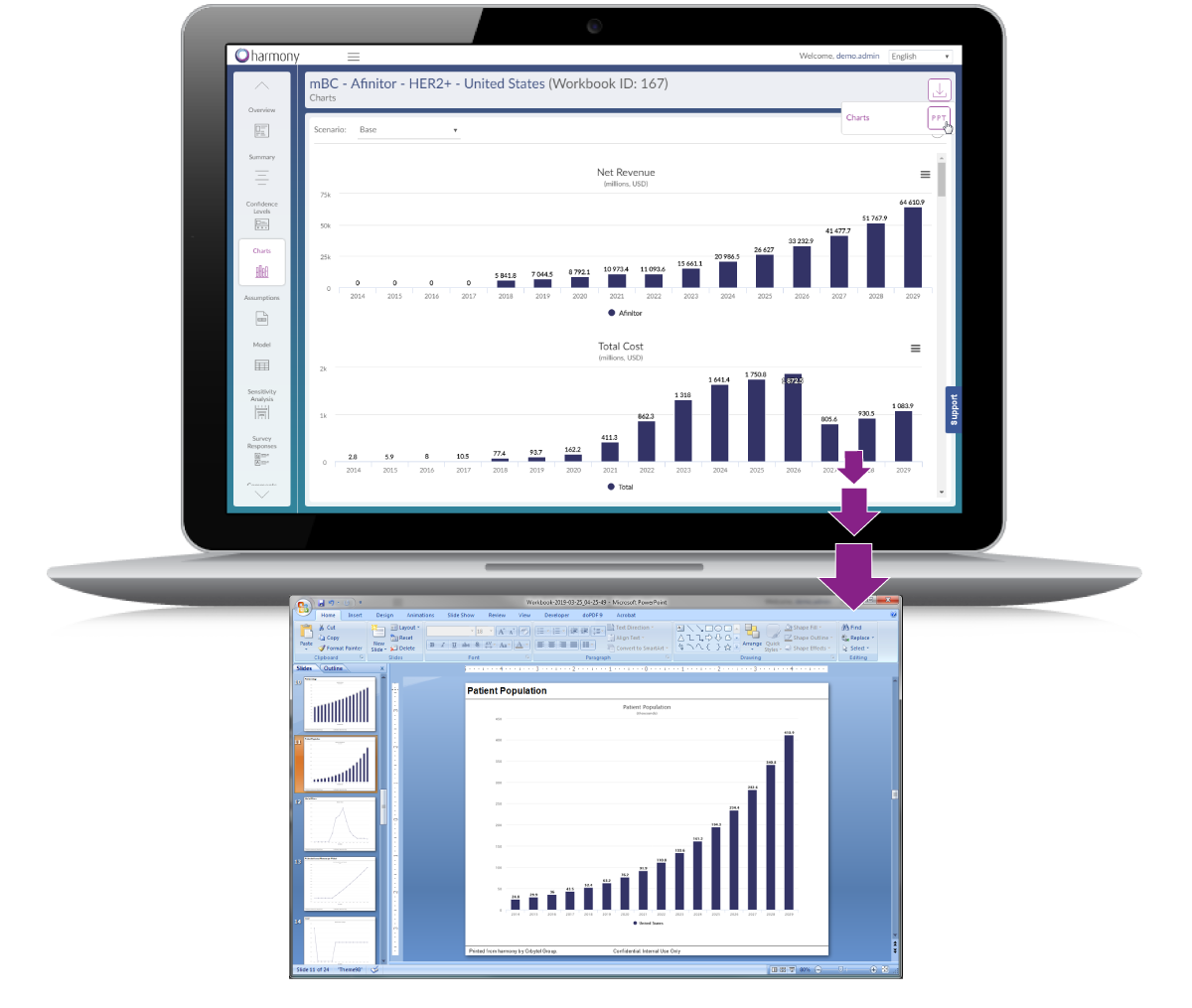
  • Export charts as pre-formatted slides in MS PowerPoint in a single click
Comprehensive Reporting (1 of 2) Comprehensive Reporting (2 of 2)

Fully Documented Assumptions

  • Users can annotate spreadsheets with comments, questions, survey responses, files, and links at both the individual spreadsheet cell-level as well as on assumptions
Fully Documented Assumptions (1 of 5) Fully Documented Assumptions (2 of 5) Fully Documented Assumptions (3 of 5) Fully Documented Assumptions (4 of 5) Fully Documented Assumptions (5 of 5)

Spreadsheet Versioning

  • Spreadsheet versions are saved every time a user commits a change(s) to the spreadsheet
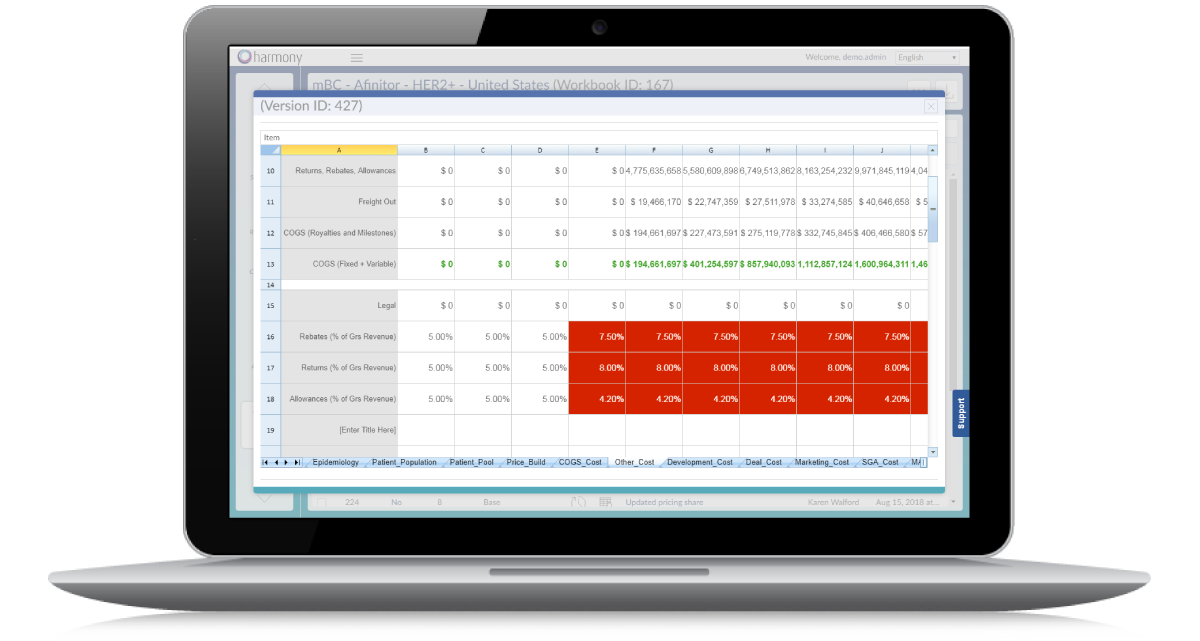
  • When viewing a version, changes are highlighted for easy identification of what changes were made
  • Users can easily view previous spreadsheet versions and reinstate any version as the current version at any time
Spreadsheet Versioning (1 of 2) Spreadsheet Versioning (2 of 2)

Spreadsheet Auditing

  • Every change made to a spreadsheet is documented
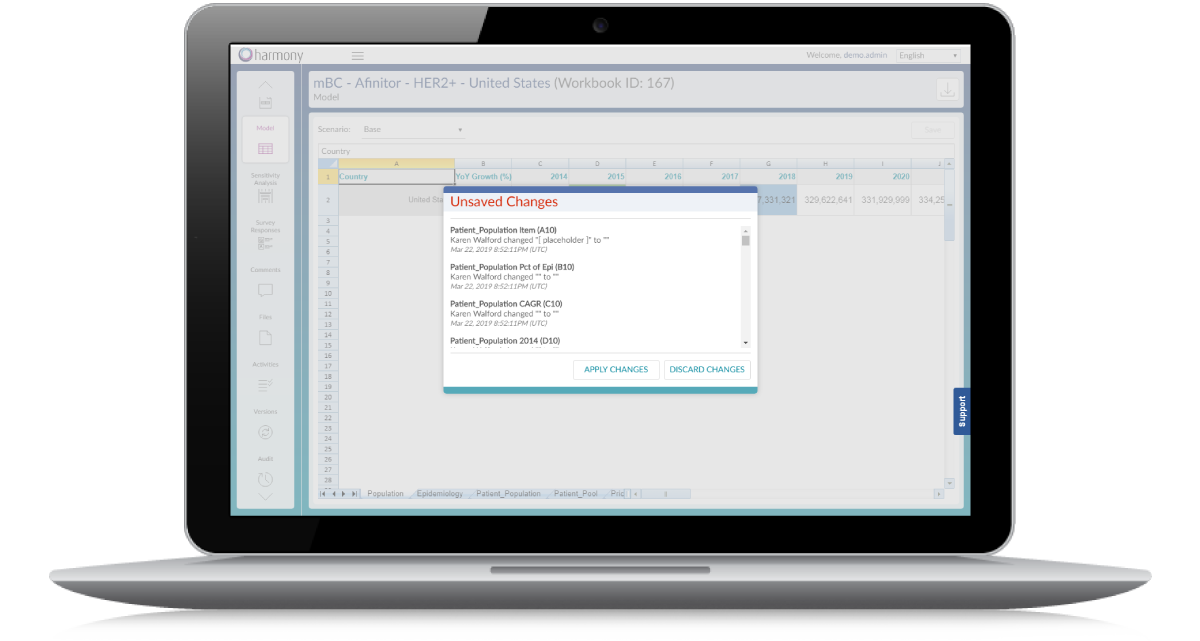
  • When saving a spreadsheet version, users are prompted to provide a description of the overall changes made as well as commentary at the individual cell-level to ensure complete transparency on data updates
  • The system automatically alerts users of unsaved changes if a user previously navigated out of a spreadsheet without saving, to avoid loss of data updates
Spreadsheet Auditing (1 of 2) Spreadsheet Auditing (2 of 2)

Charted Assumptions

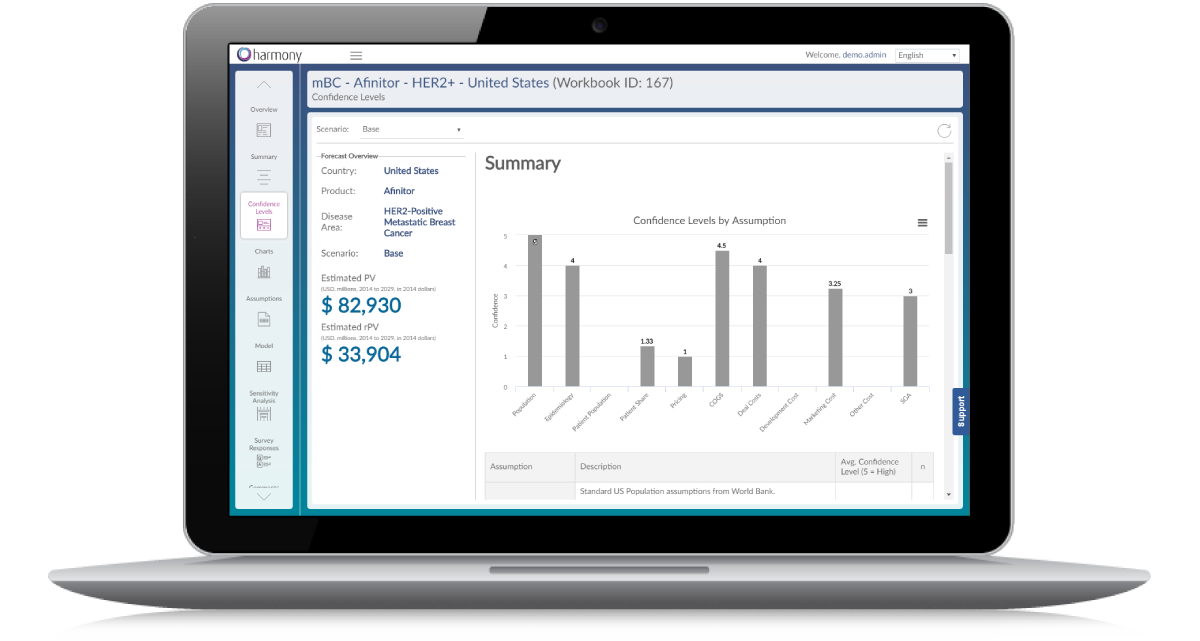
  • Assumptions are documented and automatically charted to allow easy visual inspection of the data comprising each forecast
Charted Assumptions (1 of 3) Charted Assumptions (2 of 3) Charted Assumptions (3 of 3)

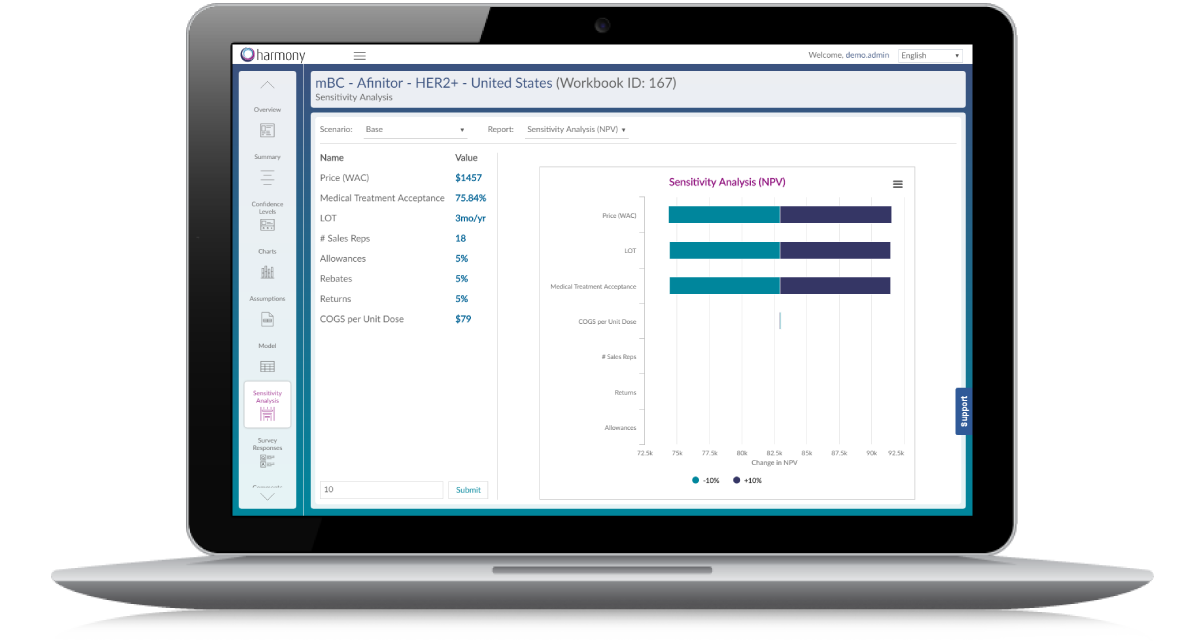
Sensitivity Analysis

  • A built-in, easy-to-use tool performs sensitivity analysis on key variables
Sensitivity Analysis

Interactive Timeline

  • Key market and product events that may impact forecasts are easily tracked with a built-in interactive timeline
  • Users can easily add events or update event details and dates as timelines change
Interactive Timeline

Product Profiles

  • For each and every product related to your forecasts, the system stores an editable product profile
  • Capture product information to keep a record of product indications, trials, dosing and administration information, SWOT analysis, and more
Product Profiles (1 of 3) Product Profiles (2 of 3) Product Profiles (3 of 3)
What customers say

“With Forecasts we now have an up-to-date and well documented global financial model that replaced over 400 individual Excel files. It’s simple to use and tracks all changes. We are no longer using spreadsheets for this! Great solution, great team!”

VP, [Company Confidential]
Technology Your Team Can Trust

  • Validated Enterprise Technology
  • Sophisticated access control
  • GDRP Compliant
  • End-to-end encryption
  • Fully separated and redundant cloud-based architecture
  • Consistent with ISO 27001 and ISO 27002

Exceptional Service and Support

  • Dedicated Account Manager
  • Dedicated Technical Support
  • Robust Online Support Portal (articles, videos, FAQs, and more)
harmony Forecasts fact sheet cover

Please click to view our product fact sheet and learn more about harmony Forecasts!

Download the fact sheet (PDF)

Learn More

Please call us at 610-625-2526 to discuss your needs or contact us at success@orbytelgroup.com to set up a time to speak.

Contact us